

The Bermuda Foundation provides Fund Advisors with access to a Fund Advisor Portal, a secure and user-friendly platform designed to give you direct access to your charitable accounts. With this tool, you can conveniently manage your fund, track balances in real time, access important documents, and oversee grants and contributions with ease.
Key Features
-
-
-
- Real-Time Account Balances – View the latest transactions and balances at any time.
- Grant Management – Submit grant recommendations, track pending and completed grants, and review past contributions.
- Fund Statements – Access your fund statements directly in the portal, eliminating the need for email attachments.
- Contribution History – Review all gifts made into your fund.
-
-
Get Started Today!
Experience the ease and convenience of the Fund Advisor Portal.
Setting up your Account
Setting up your access to the Advisor Portal is quick and simple. If you already have access to the legacy portal, you can use your existing username and password to log on to the new portal.
-
- Check Your Email – Once we have set you up with Fund Advisor access in our system, you will receive an email from ““ with the subject line referencing the Bermuda Foundation. Please check your spam or junk folder if it is not in your inbox.
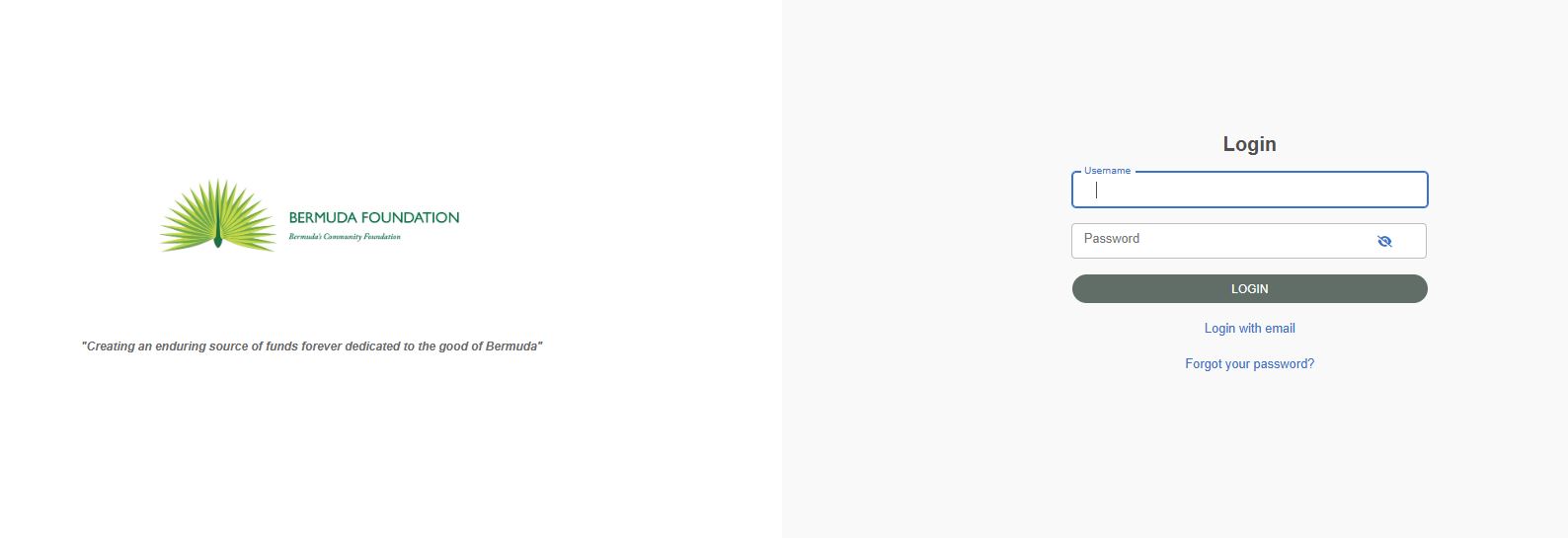
- Set Up Your Login – Click the unique link in the email to establish your password. The process takes under two minutes, and you will need to note your username and password.
- Log In Anytime – Once registered, visit https://bermuda.fcsuite.com/erp/portal to access your account at any time. If you manage multiple funds, you will be prompted to select the fund you wish to view. Otherwise, you will land on the Fund Summary Page, where you can view your current fund balance. Please note that usernames are case sensitive.
Navigating the Portal
1. Your Dashboard
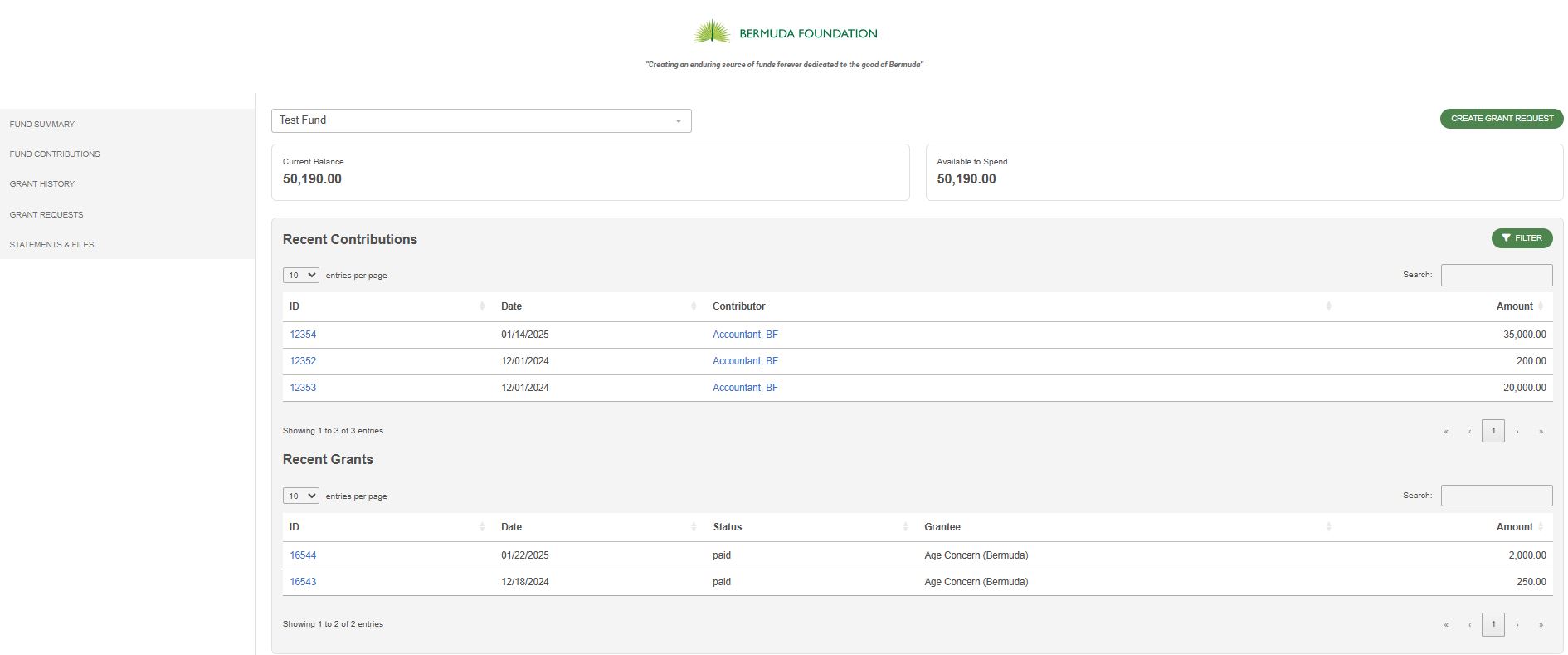
The portal provides easy access to essential fund details. On your Fund Summary Page, you can view recent contributions and grants and (if applicable) see visual graphs reflecting fund activity.
On the left-hand menu, you’ll find:
-
-
- Fund Contributions – Track all incoming donations.
- Grant History – View past grants, summaries, and recurring grants.
- Grant Requests – Submit and manage grant recommendations.
- Scholarships – View scholarship information, if applicable.
- Statements & Files – Access fund statements and documents.
-
2. Submitting a Grant Request
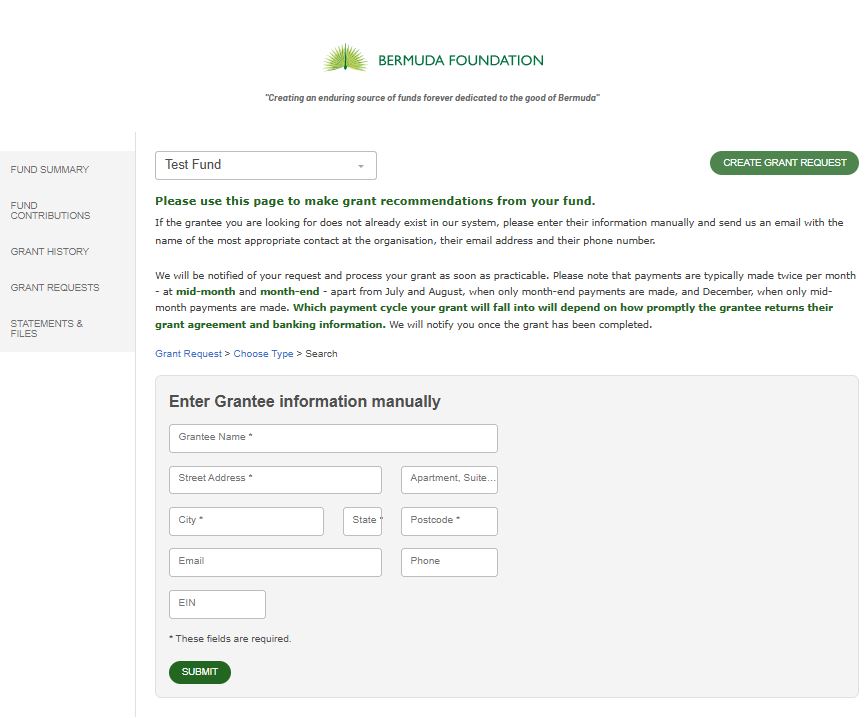
You can submit a grant recommendation at any time by selecting the Grant Requests menu or clicking Create a Grant Request at the top right of your screen.
All fund advisors have access to this feature by default, but access levels can be modified if needed.
When creating a grant request, you have three options:
-
- Previous Grantee – Select from organisations or funds you’ve given to before.
- Search Grantees – Enter the name in the search box to check if the grantee exists in our system.
- Manual Grantee – Use only if the organisation is not found in our system. You’ll need to enter their details manually.
After selecting a grantee, you’ll be prompted to enter information about your grant.
Once submitted, you will receive an email confirmation, and our team will be notified of your request. Grantees must sign a grant agreement and provide banking details before funds can be disbursed.
Frequently Asked Questions
General Portal Use
How do I log in after my initial setup?
Use https://bermuda.fcsuite.com/erp/portal with the username and password you created when you set up your account. Please note that usernames are case sensitive.
What if I forget my password?
Click on the “Forgot Password” link on the login page and follow the instructions to reset your password. If you need further assistance, contact our support team.
Can multiple fund advisors access the same fund?
Yes, multiple fund advisors can have access to the same fund. If you need to adjust user access, please contact us.
How do I change my profile information?
Click the Profile link in the upper right area of your fund advisor portal. You can click the Edit button to edit your login, address, email, phone, and add a note about the changes you are making. Additionally, you can change your fund advisor portal password and enable two factor authentication when logging in. Click the Save button to keep the changes. If you need to update details that cannot be changed in the portal, such as adding an additional fund advisor, please contact us.
Fund Contributions & Grants
How often is my fund balance updated?
Fund balances are typically updated at month-end after bank reconciliations are completed.
How can I view my past contributions and grants?
You can view all contributions and grants in the Fund Contributions and Grant History tabs. Use the filters to search by date or export reports as spreadsheets.
How will I be notified of fund activity?
You will receive email notifications when donations are posted to your fund and when grants are paid. If you prefer not to receive these notifications, please let us know.
As fund activity is reconciled at month-end, there may a slight delay in new transactions being visible on your portal.
Can I access my fund statements online?
You can access your fund statements in the Statements & Files section of the portal. You can also download and print them as needed.
Grant Requests & Payments
How do I know if a grantee is already in the system?
Use the Search Grantees function in the grant request section to find the organisation. If the grantee you are looking for does not appear in our system, please try a few variations of the organisation’s name before entering their details manually.
I have made a grant recommendation. How long does it take for the grant to be processed?
We are notified immediately of your request and will process your recommendation as soon as practicable (typically within the next 3 business days).
Can I cancel or modify a grant request after submitting it?
If your request has not yet been processed, you may contact us to request modifications or cancellation.
When will the grantee receive the donation?
Payments are typically made twice per month – mid-month and month-end – except for:
-
-
- July & August – Payments made only at month-end.
- December – Payments made only at mid-month.
-
The timing of your grant depends on how quickly the grantee submits their agreement and banking details. We will notify you once the grant has been processed.
Support
Need Assistance?
If you have any questions or need support, please reach out to our team. We’re happy to assist you!
Thank you for using the Bermuda Foundation Fund Advisor Portal – making philanthropy easier, smarter, and more impactful!
Get Started Today!
Experience the ease and convenience of the Fund Advisor Portal.